The default bad pattern
Most early-stage businesses don\'t have a public status page. The default pattern when something breaks looks like this:
- Customer notices the product isn\'t working.
- Customer doesn\'t know if it\'s their internet, their account, or your service.
- Customer files a support ticket: "Is your service down?"
- Other customers do the same. Twenty tickets pile up.
- Your support team asks engineering. Engineering confirms there\'s an outage.
- Support starts replying to tickets one by one with the same answer.
- Some customers cancel because they got no signal that you knew.
- The team spends the next day writing apology emails.
A public status page short-circuits all of that.
What status pages actually do
Three concrete things, in order of importance:
1. Reduce support volume during incidents
The single largest piece of inbound support volume during an outage is "is it down for you too?" A status page answers that question with one URL. Teams we\'ve talked to consistently report 40–70% reductions in inbound support volume during incidents after launching a status page.
2. Build trust through transparency
Customers don\'t expect you to never have outages. They expect you to handle them like adults — acknowledge them, communicate, fix them. A status page is the public-facing artifact of you doing that.
3. Create an audit trail for enterprise sales
Enterprise prospects in security or procurement reviews almost always ask for uptime history. A status page with a 12+ month track record is significantly easier to point at than internal reports nobody can verify.
The trust compound effect
The trust value of a status page is cumulative. A status page on day one mostly tells you "they exist, somebody made one." A status page two years in tells you:
- Their actual uptime track record (not the marketing claim).
- How they communicate during incidents (terse vs. apologetic vs. blamey).
- Whether they post postmortems and follow-up actions.
- Whether they\'re honest about partial outages or only post the obvious total ones.
This is why status pages compound: every incident is an opportunity to either deepen or damage trust. A team that\'s consistently transparent through 12 months of incidents builds substantially more credibility than a team that hides them.
Anatomy of a good status page
The minimum viable elements:
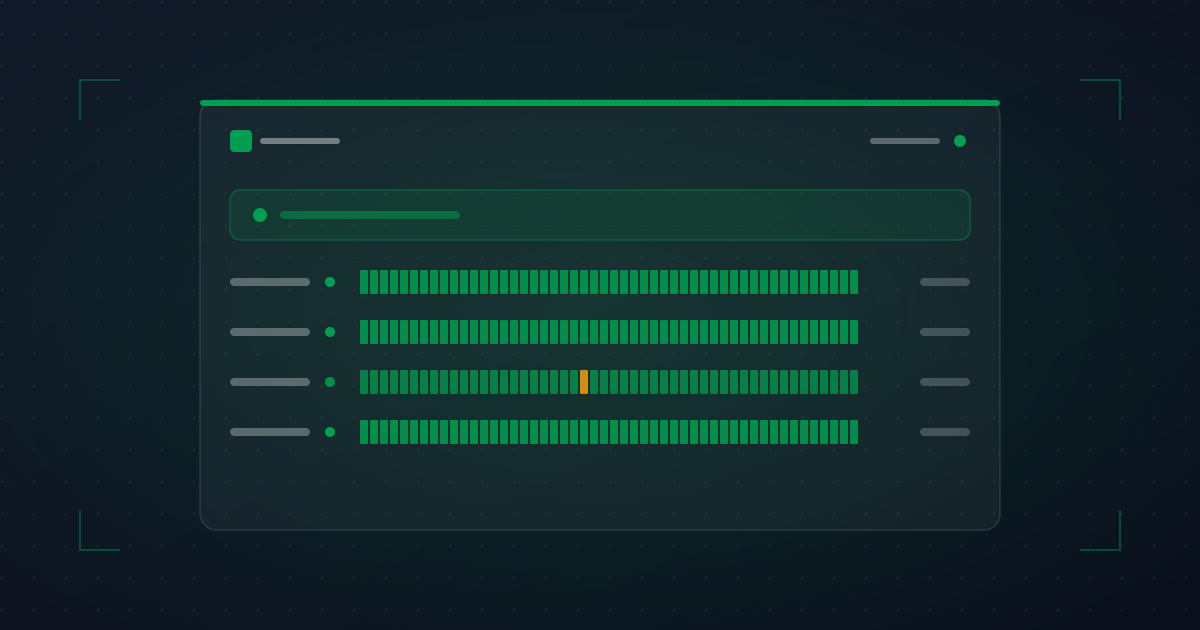
- Top-of-page status banner. "All systems operational" / "Service degraded" / "Major outage". One glance, one answer.
- Component grouping. Web, API, dashboard, etc. Group monitors into logical user-facing chunks.
- 90-day uptime per component. Visual bar chart with color-coded daily status.
- Active incidents. What\'s currently broken, when it started, what you\'re doing.
- Recent incidents. The last week of incidents with start, end, and resolution notes.
- Subscribe button. Email or RSS for notifications.
- Scheduled maintenance. Upcoming planned downtime, pre-announced.
What to skip on day one: complex SLA breakdowns, detailed metrics, custom branding beyond a logo and color. Get the basics live; iterate later.
Integration with your monitoring
The single biggest factor in status page quality is whether it\'s tied to your monitoring or maintained manually.
Manually-maintained status pages:
- Lag the actual incident by 5–30 minutes (whoever\'s posting has to notice and write).
- Often forget to update when the incident is resolved.
- Quietly degrade as the team gets busy.
- Become the next thing to update during a stressful incident, when nobody wants more work.
Auto-synced status pages:
- Update within seconds of monitor state changes.
- Auto-resolve when monitors recover.
- Don\'t require remembering during an incident.
- Free up your incident responders to actually fix things.
You can still post manual incident updates for context, communication, and postmortems — but the basic "is it up?" signal stays auto-driven.
Common objections (and why they\'re wrong)
"It\'ll make us look bad"
What makes you look bad is hiding outages while customers experience them. Public, honest status pages make you look professional. Compare any major SaaS\'s status page to imagining the alternative — nobody loses respect for a company that openly says "yes, we had a 23-minute outage at 2 AM, here\'s what happened."
"We don\'t have enough outages to need one"
The opposite. If you rarely have outages, the status page mostly shows green — which is a reassurance for prospects evaluating you. The audit trail is the value, not the incident count.
"It\'s expensive to set up"
Standalone status page tools start at $99/month. Most uptime monitoring tools include status pages on Pro plans for $20–30/month total — including the monitoring. The total spend for "monitoring + status page" is usually around the cost of one team lunch.
"Customers won\'t look at it"
They will the first time something breaks. Linking it from your help center, error pages, and email signatures means it\'s found exactly when needed.
Getting started: a 30-minute setup
- Pick the monitors that represent customer-facing functionality (homepage, login, API, checkout, etc.).
- Group them into 3–5 named components ("Web", "API", "Dashboard", "Email delivery", etc.).
- Enable the status page in your monitoring tool. Pick a URL.
- Set up a custom domain (status.yourdomain.com) if your tool supports it.
- Add a "System status" link to your help center, login error pages, and footer.
- Tell your support team it exists and how to use it during incidents.
- The next time something breaks, post a manual incident update. That\'s the practice run.
That\'s the whole project. Time-to-value: the first incident after you launch.